
With this tool you can review, edit or regenerate articles for AirFindRSOC feed ads. You can access it via: Management - Generated Articles List.

The tools provides a list the articles generated by the system using AI technologies. The list contains the following columns:
Title – the title of the article
Site – the targeting website
Adgroup – the name of the adgroup
Keyword – the targeting keyword
Status – the status of article genetion request
• generated: the articles is successfully generated
• pending: the request is being in queue to be processed
• in_progress: the article is being generated
• failed: the system failed to generate the article
Created at – the date and time when the article was generated (UTC)
Updated at – the date and time of the last article update (UTC)
Actions - here you can manually edit the generated article or regenerate it.
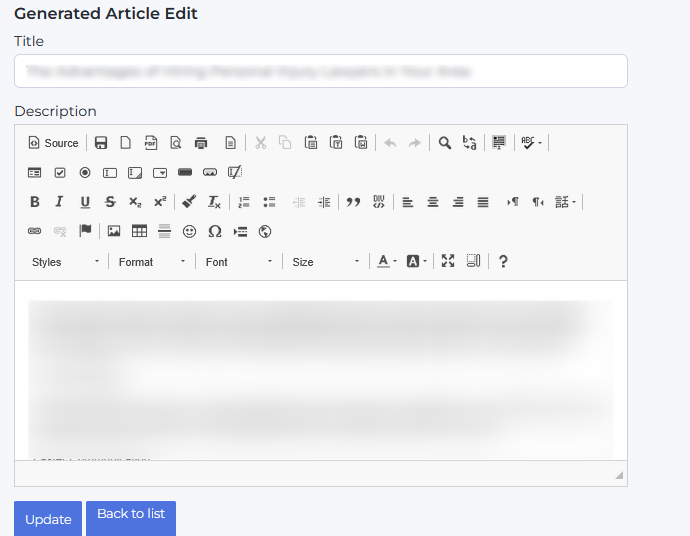
To make changes, click the 'Edit' button. In the new window you can edit the article text and formatting. To save changes, click 'Update'. To go back to articles list, clikc the 'Back to list' button.
Click the 'Regenerate' next to the element to re-create the article. If you would like to regenerate one or multiple generated articles, select the itmes in the list with 'generated' status and click the 'Bulk changes' button. The system will remake the selectes articles.
If you would like to regenerate an article with 'generated' or 'failed' status, select the target itmes in the list and click the 'Bulk changes' button. The system will remake the selectes articles.
You can also use filers to search for certain articles if the list.
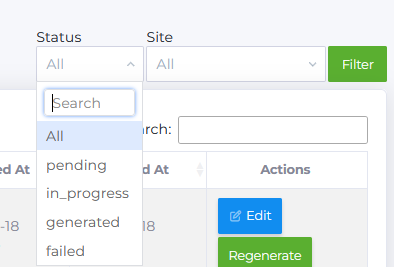
You can search the articles by Status, by Site or enter the keyword in the Search field.
NOTE! If you previously had generated article for the same keyword/site combination, the system will pull up a match and would note generate a new article but would provide the previously generated text.