
In this section, you will find an overview of the most common errors in the generator and how to resolve them. We have collected typical scenarios you may encounter during your work and provided clear recommendations to help you quickly fix issues and continue without unnecessary delays.
ChatGPT cannot handle request. Please try again later
Please report this error to @BabkeeBot, and your issue will be resolved.
Incorrect data format in “Paste System Names from Babkee” field

This error occurs when URLs (links) are pasted into the “Paste System Names from Babkee” field instead of valid System Names. The field only accepts System Name identifiers, and using links leads to incorrect data processing.
Please make sure you are entering System Names only, not URLs.
Mismatch between source in generated link and Campaign Generator Request

This error occurs when the specified adgroup source names do not match the request source. It means that the sources used in the adgroup names differ from the source defined in the Campaign Generator request.
Please ensure that the source used to generate the link is exactly the same as the source used when uploading the campaign via the Campaign Generator request. Any discrepancy in the source name or configuration may cause this error.
Errors without description / “Something went wrong”
If the system returns an error without any description or explanation, or shows a generic message like “Something went wrong”, this may indicate an internal failure or an unexpected issue that cannot be properly displayed.
In this case, please report the issue to @BabkeeBot and include details of your request (what exactly you were doing and what data you used). This will help us identify the cause faster and resolve the problem.
Use of prohibited topics or words

This error indicates that prohibited topics or words were used in the campaign — in titles, descriptions, or images. Such content does not pass moderation and prevents the campaign from being processed correctly.
Please review all texts and creatives in the campaign and remove or replace any prohibited content. After making the necessary changes, try running the process again.
Call To Action not found for language ALL

This error occurs when the adgroup language is set to ALL. In this case, the system cannot generate a Call To Action (for example, with the “See More” type), as this language is not supported for CTA generation.
To fix the issue, please use one of the following methods:
Method 1 (update language in an existing campaign):
- Go to Campaign → Campaign List and select the required campaign
- Open the adgroups section
- Find the required adgroup and click Edit
- Change the language to English
- Click Update
- Generate a new URL using the Generate link button
- Insert the generated URL into the template campaign
- Update the campaign via partner campaign searcher
After that, you can try creating campaigns via the generator again.
Method 2 (create a new URL):
- Create a new URL for the required website
- Select English as the language
- Insert the new URL into the template Google campaign
- Update the campaign via partner campaign searcher (fill in source / account / campaign id and click Filter)
After completing these steps, the error should disappear and you will be able to create campaigns via the generator again.
Duplicate texts in descriptions
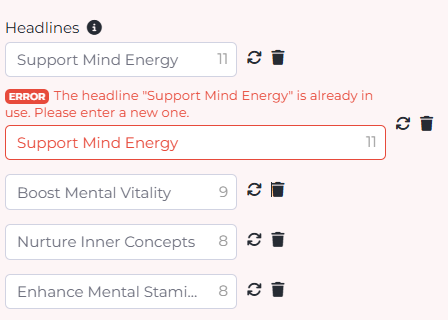
This error occurs when identical texts are used in descriptions within the same campaign. The system requires content to be unique, so duplicate descriptions do not pass validation.
Please review all campaign descriptions and ensure they are different from each other. If necessary, rewrite duplicate texts to make them unique, then try running the process again.
Missing campaign logo
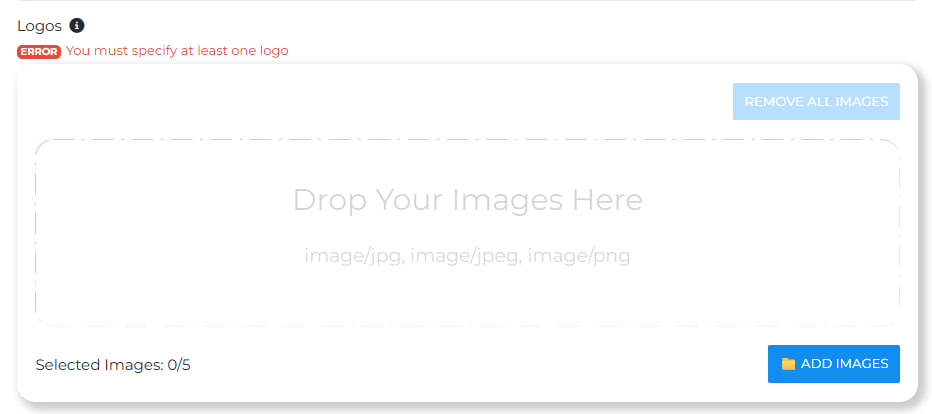
This error occurs when no logo is specified in the campaign or when uploaded files are in an unsupported format. Without a valid logo, the system cannot continue generating campaigns.
Please upload a logo that meets the required format and size specifications. After adding the correct file, try generating the campaign again.
OpenSSL error

This error is related to issues on the OpenSSL side and cannot be resolved by the user.
Please report the issue to @BabkeeBot, including the details of your request and, if possible, a screenshot of the error. This will help us identify the cause more quickly and resolve the problem.